Features
Everything CoachReel does, and how it works.
How it works
- 1
Import footage
Open any video format directly from your drive. No conversion needed.
- 2
Clip the moments
Trim in/out points frame-accurately. Drag to reorder. Add title slides.
- 3
Annotate
Draw arrows, shapes, and text on the exact frames that matter.
- 4
Structure with Coach Mode
Pick a template. Walk through sections. The app organises the session for you.
- 5
Export and send
Phone-ready file, under 10 MB. Send before the next game or practice.
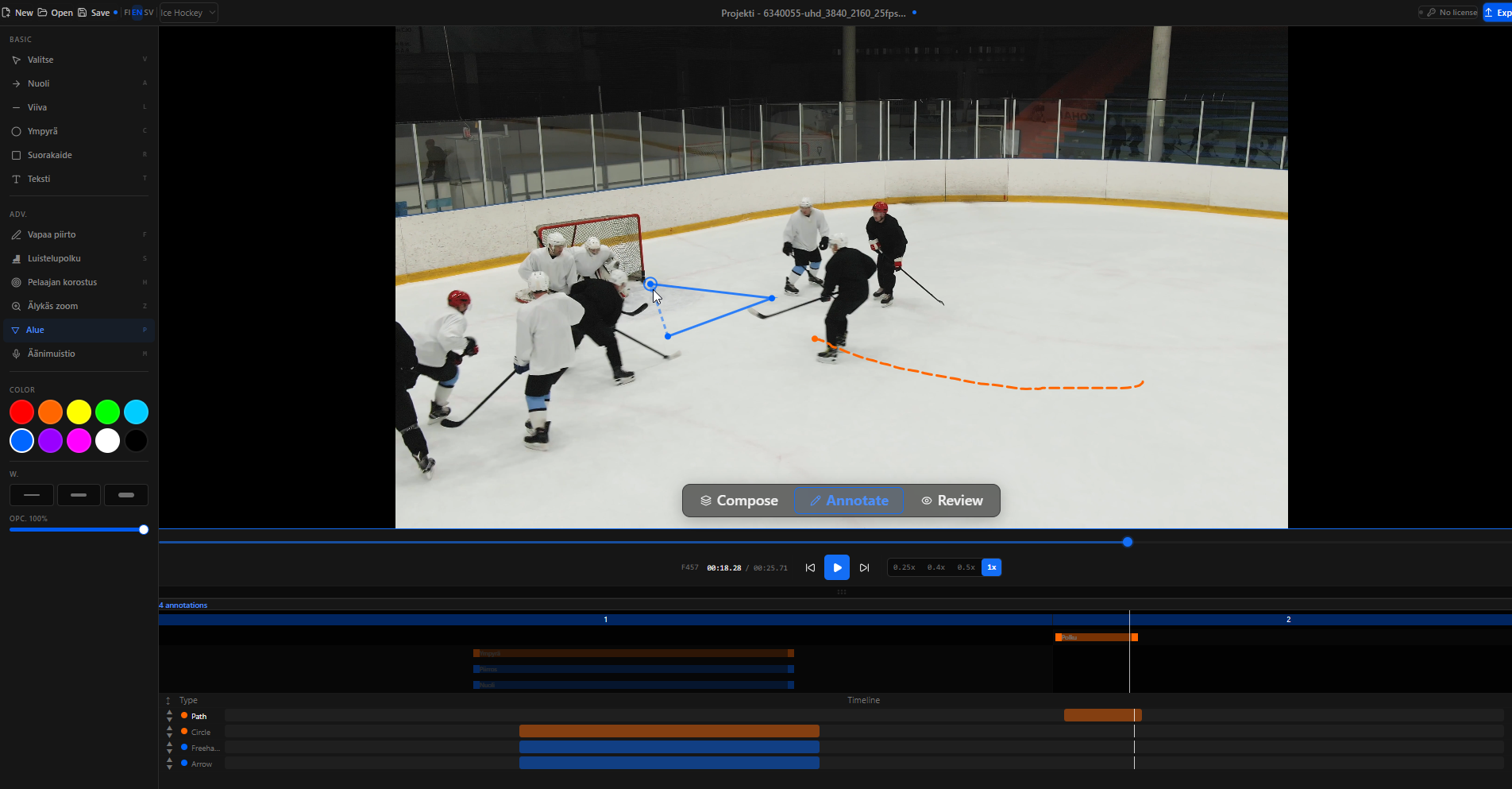
Frame-accurate annotation
Every annotation is stored relative to its clip, not to an absolute timeline position. That means annotations survive clip reordering, trimming, and project reloads. Draw once; it stays where you put it.
- Arrows: point exactly where you mean
- Freehand paths: trace a player's skating route
- Circles & rectangles: highlight zones and positions
- Text labels: add brief written cues
- Area polygons: mark pitch zones, coverage areas
- Animated skating paths: show movement over time
- Smart Zoom: zoom into a region independently of playback
- Voice annotations: record a short audio note on any frame
- Freeze frame: hold a specific frame during playback for a set duration, great for coaching emphasis
Coach mode
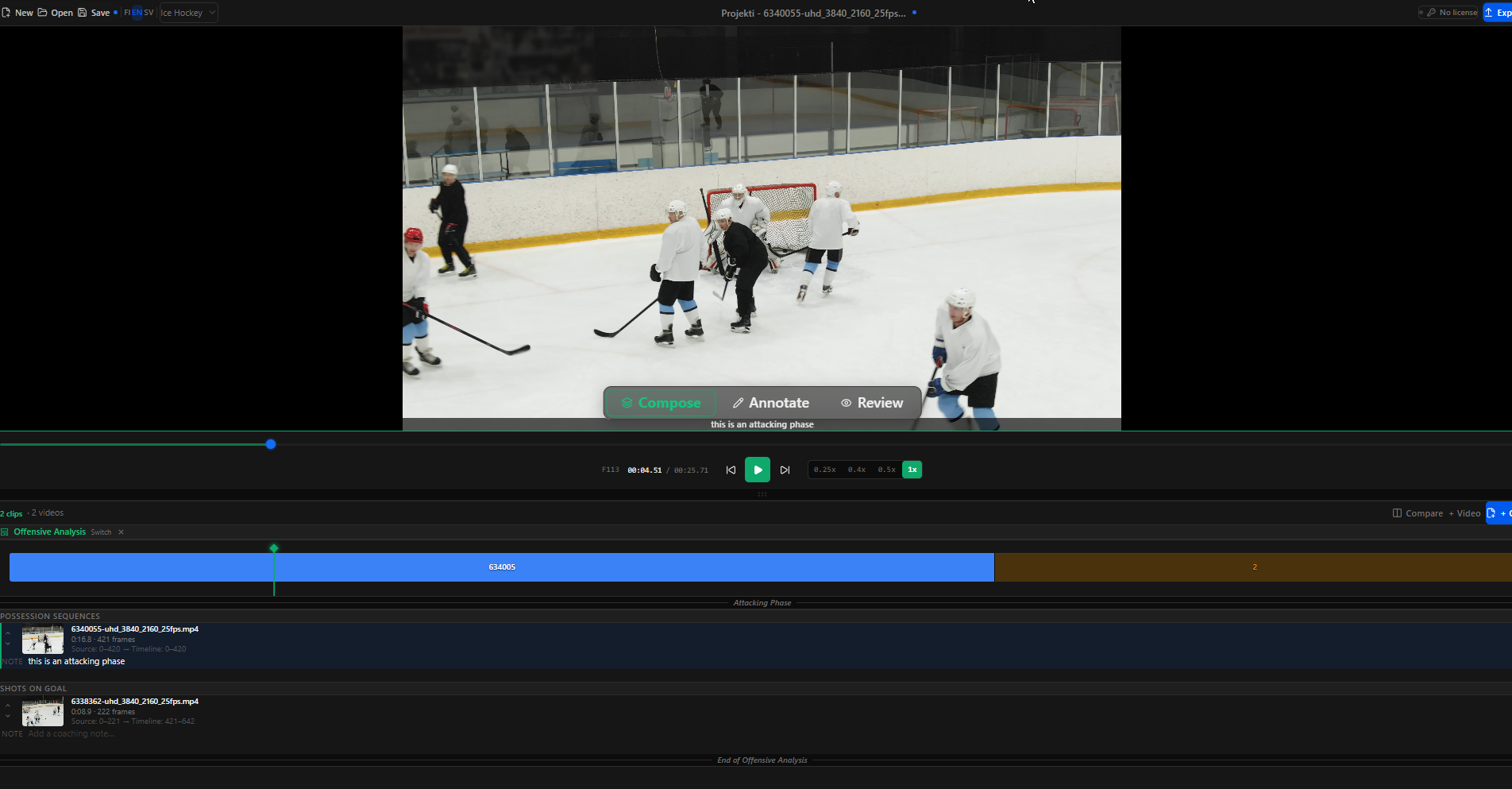
Coach mode is the step where a clip list becomes a coaching session. Pick a template and CoachReel auto-sequences your tagged clips into sections. Walk through each section: write the title slide the player will see, adjust the annotation hints that guide your drawing, add a clip note, and tag additional events, all from one place. When you're ready to draw, one click switches to Annotate with section context visible at the top of the screen.
- Dedicated coaching workflow step (sits between Review and Annotate)
- Pick from built-in templates: Offensive Analysis, Defensive Analysis, Turnover Review, Full Game Review, and sport-specific plans
- Walk through each template section one at a time
- Edit the title slide text that appears in the exported video
- Default annotation hints per section, fully editable for your specific coaching focus
- Add per-clip coach notes without leaving Coach mode
- Tag events inline with a mini quick-tag bar per clip
- Jump straight to the annotation canvas with "Annotate" to draw on a clip
- Sports supported: Ice Hockey, Football, Basketball, each with their own terminology
AI tracking, screenshot from live app recommended
Clip timeline & composition
Build a complete coaching reel from clips across multiple source videos. The timeline sequencer keeps everything in order and auto-recomputes frame positions whenever you reorder or trim.
- Add up to 15 clips per project
- Drag to reorder clips instantly
- Trim in/out points per clip, frame accurate
- Add title slides between clips
- Seamless playback across clip boundaries
- Full undo/redo for every clip edit
Event tagging & analysis
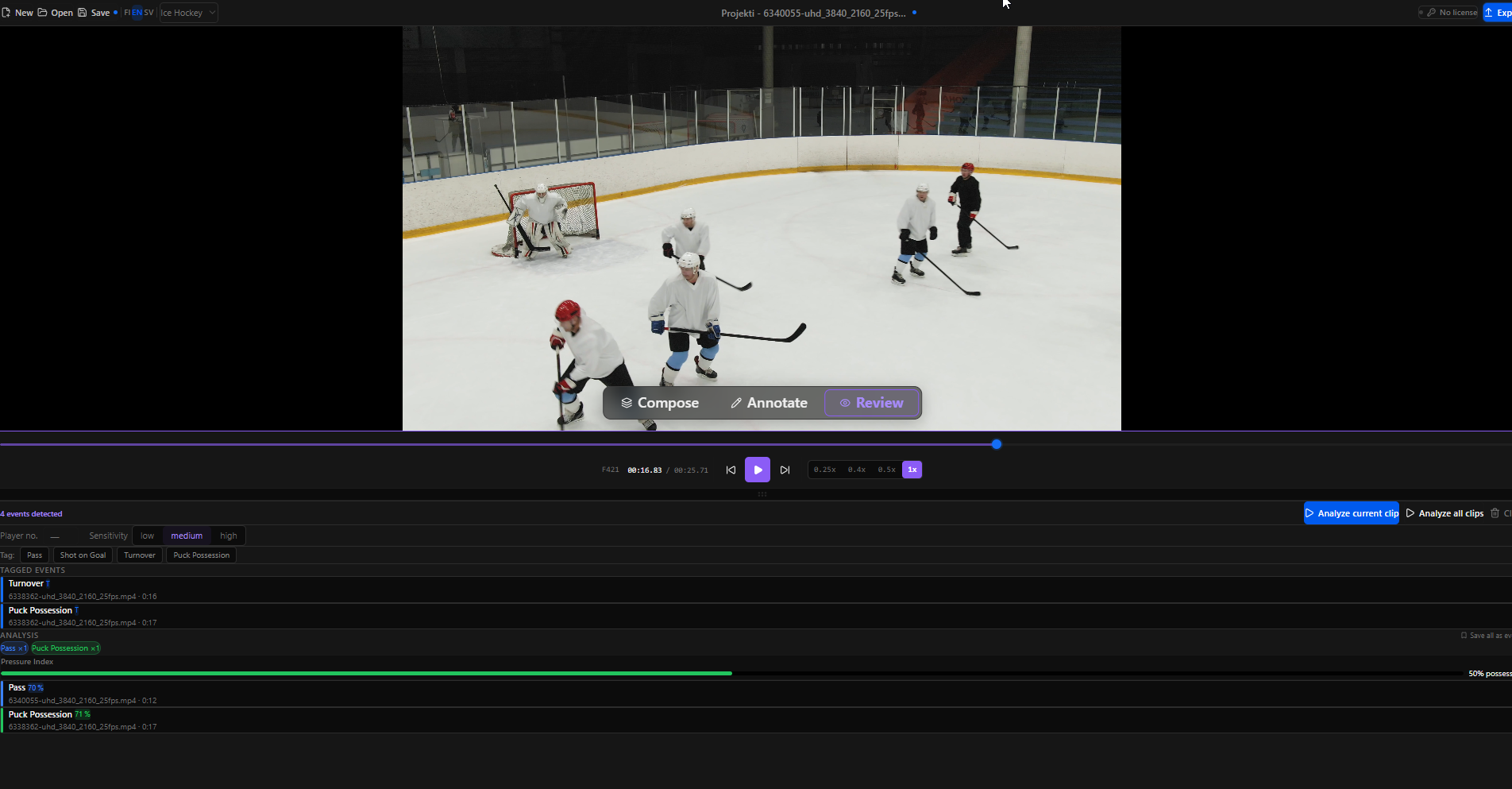
The event system is designed to be fast during playback. Tag moments without pausing; then review the breakdown afterwards in the Analyze tab.
- One-click tagging: pass, shot, turnover, possession, custom
- Tags shown as coloured markers on the timeline
- Per-clip event count breakdown
- ML-detected events from automatic pattern recognition
- Promote detected events to confirmed tags
- Undo/redo for every tag action
Auto-Clip Wizard (Pro)
Stop scrubbing hours of footage. Import your raw game capture, enter your jersey number, and CoachReel scans the footage to find your moments automatically. Review, trim, and create clips in one step, no manual hunting required.
- Import raw game footage directly into the wizard
- Enter your jersey number and CoachReel scans the footage to find your moments
- Review, approve or reject each candidate segment
- Trim in/out points before creating clips
- Batch-creates clips in one step with full undo support
- Falls back to equal-length segments when detection is unavailable
AI tracking, screenshot from live app recommended
Side-by-side comparison (Pro)
Comparison mode answers one question: did this player improve? Load last month's clip on the left and this week's on the right, play them side by side, and let them see the difference for themselves. No narration needed.
- Load any two video files into a split-screen view
- Synchronised or independent playback on each panel
- Draw arrows and text on either side
- Export the full comparison as a single video file
- Compare two players, two angles, or one player across sessions
AI tracking, screenshot from live app recommended
Export & sharing
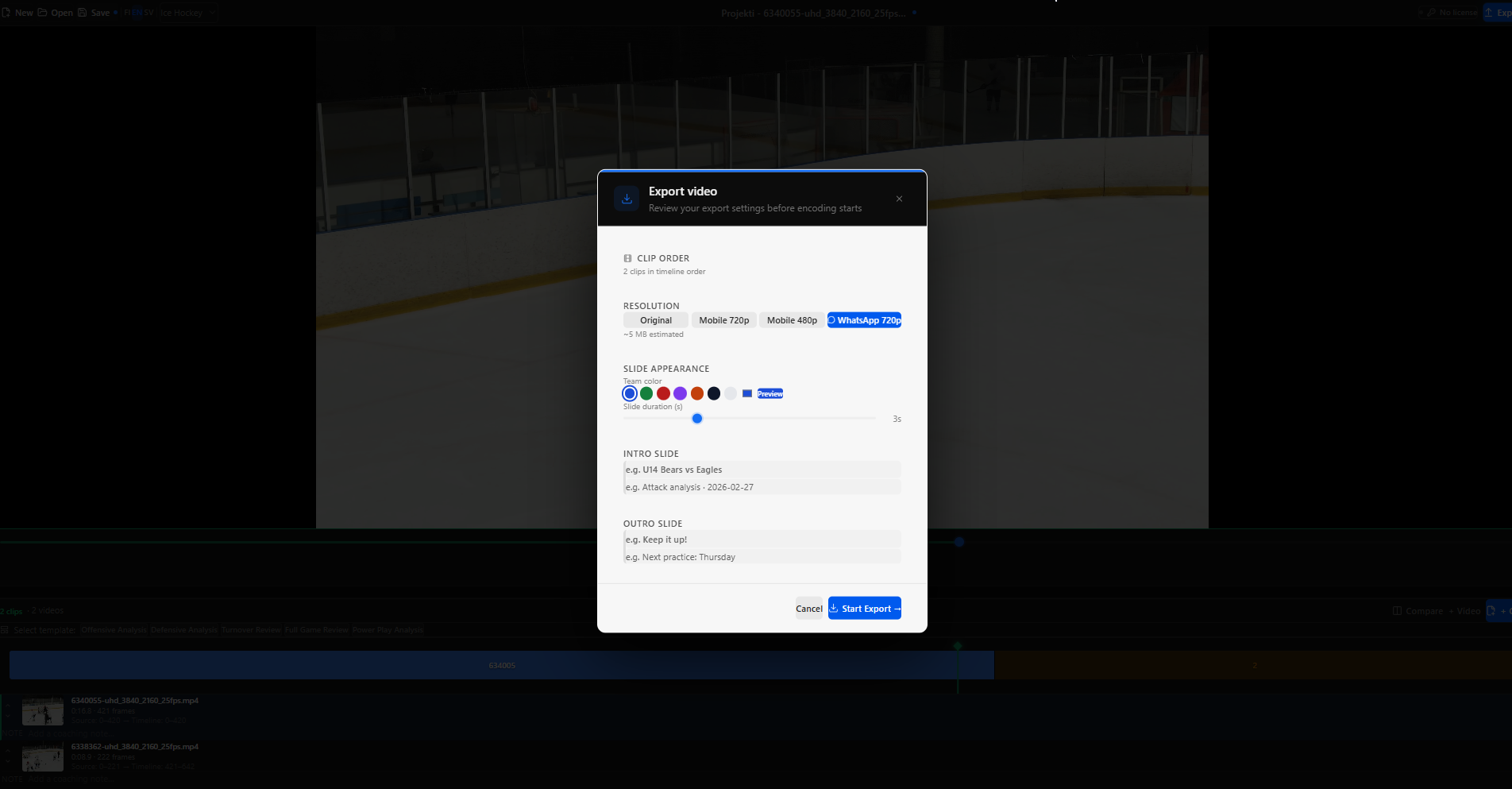
The phone-ready export preset was the most-requested feature during development. It produces a file small enough to send directly in a chat message, with no external compression step needed. Works with any messaging app.
- Phone-ready export: sized for messaging apps (720p, ~10 MB). Send directly via WhatsApp, iMessage, or email.
- Standard MP4 at 480p or 720p
- Original resolution export (Pro)
- Intro and outro text slides included in the export
- All processing local via FFmpeg, no upload required
- Export a single clip or the full reel
AI player tracking (Pro)
AI tracking runs on-device using ONNX Runtime Web and a bundled YOLO model. No internet connection required. Detection quality depends on video resolution and camera angle.
- Automatic player detection using YOLO / ONNX Runtime
- Highlight annotation follows a detected player across frames
- Runs entirely offline, no API calls, no cloud inference
- Available on the Annotation Timeline (Pro tier)
AI tracking, screenshot from live app recommended